Jobs
Track your CI job health, duration, and cost to identify flaky, broken, or expensive jobs before they slow down your team.
The Jobs page helps you understand how your CI jobs behave over time. Spot flaky jobs, catch regressions in duration or failure rate, and keep track of where your CI budget goes.
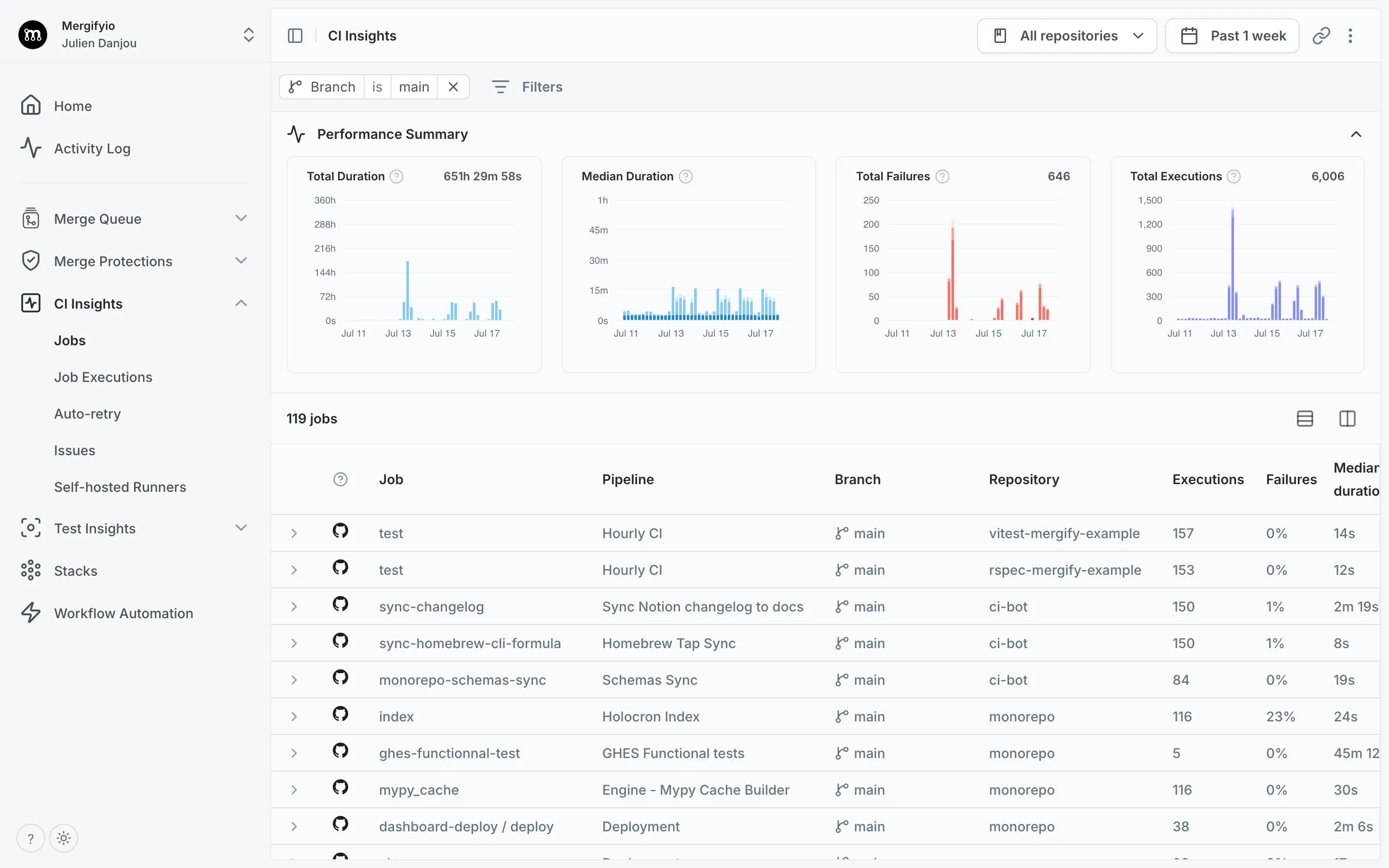
Job Metrics
Section titled Job MetricsThe metrics view is the default landing page for CI Insights. It aggregates job performance across a time period so you can identify trends and outliers at a glance.
Each job is assigned a health status (Healthy, Flaky, or Broken) based on its recent run history. This helps you quickly focus on jobs that need attention rather than sifting through individual runs.
Job Executions
Section titled Job ExecutionsThe executions view shows individual job runs with their status, duration, and cost. Use it to drill into specific failures, investigate flaky behavior, or trace a regression back to a particular commit.
Clicking any execution opens a detail panel with the full job timeline and related test results.
Data Retention
Section titled Data RetentionCI Insights keeps 30 days of job history. The free tier keeps only the last 24 hours, so a date range reaching further back returns nothing older than that rather than an error. Both views show a banner when your plan is on the shorter window.
Was this page helpful?
Thanks for your feedback!